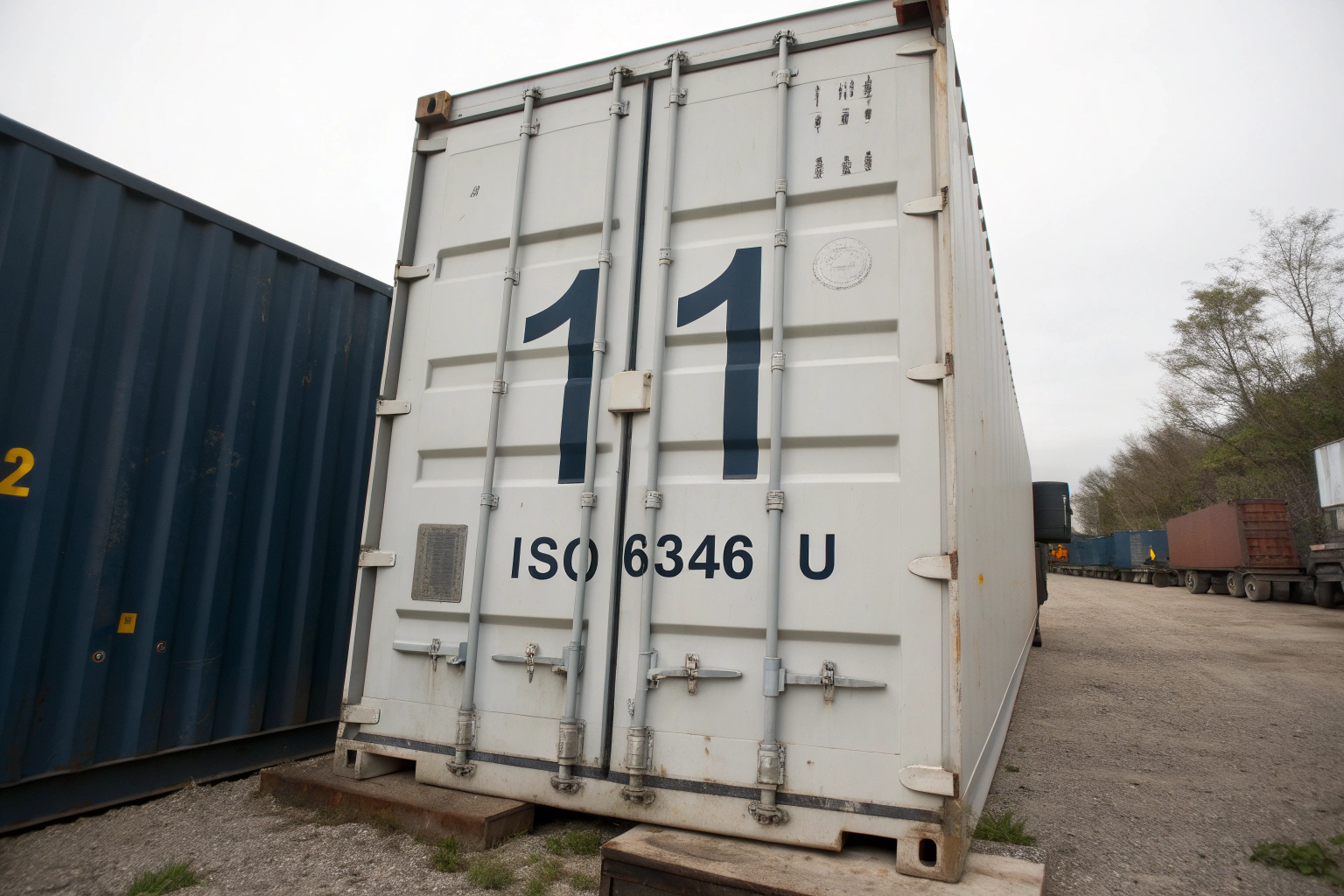
You have a container number. You type it into a carrier website. The screen says "not found." You try another site. The same result. You check the bill of lading. The number looks right. But something is wrong. Maybe one digit is off. Maybe you mixed up the booking number with the container number. Maybe the container has not loaded yet. This small problem can waste an hour. It can also delay a truck, a broker, or a customer update. I see this happen with coffee buyers all the time. Ron, a 44-year-old company owner in America, told me he once spent two days chasing a wrong number. The coffee was fine. The tracking was not.
A container tracking number is usually an 11-character ISO 6346 code. It has four letters and seven digits. The first three letters are the owner prefix. The fourth letter is the equipment category, usually U for freight container, J for detachable equipment, or Z for trailer or chassis. The next six digits are the serial number. The last digit is the check digit. To decode it efficiently, split the number into these four parts, verify the check digit, confirm the owner code, and then use the right tracking tool. Do not confuse the container number with the booking number, bill of lading number, or seal number.
So, what does this mean for you? It means you should stop guessing. You should decode the number. Then you can track the right box on the right system. At BeanofCoffee, we share container numbers and seal numbers with every buyer. We also explain what each number means. That simple habit prevents confusion. Let me show you how to decode a container tracking number step by step.
What Do the Letters and Digits in a Container Number Mean?
A container number is not random. It follows a global standard. That standard is ISO 6346. The standard makes every container unique. It also makes the number readable by machines and people. When you know the structure, you can spot errors fast. You can also tell a real container number from a booking number. That skill saves time. It also saves money. I have seen a buyer pay a trucker to wait because he gave the wrong number. That is a small cost. But small costs add up.
The letters and digits in a container number mean four things. The first three letters are the owner code. The fourth letter is the equipment category. The next six digits are the serial number. The last digit is the check digit. The owner code tells you who owns or operates the container. The category letter tells you what kind of equipment it is. The serial number identifies the specific unit. The check digit confirms the number is valid. Together, these parts make one unique container ID.
Another way to look at this is to compare it to a car license plate. A license plate has a state code, a series, and a number. A container number has an owner code, a category, a serial, and a check digit. Both are designed to be unique. Both are easy to misread. So read slowly. Then check the check digit.
| Part | Example | Meaning |
|---|---|---|
| Owner code | MSC | Container owner or operator |
| Category | U | Freight container |
| Serial | 123456 | Specific unit number |
| Check digit | 7 | Validation number |
This table is simple. But it covers the basics. Use it. Then decode your next container number.

What Is the ISO 6346 Owner Prefix and Category Code?
The ISO 6346 owner prefix is the first three letters of the container number. It identifies the owner or the operator. For example, MSC, MAE, and HLC are common prefixes. The fourth letter is the category code. U means a freight container. J means detachable equipment. Z means a trailer or chassis. The BIC maintains the global register of container prefixes. The ISO publishes the standard itself. I use both when we check a container number. A valid prefix must be registered. A fake prefix will not appear in the BIC database. So check the prefix first. Then check the category. That is how you catch a typo early.
I also tell buyers to look at the container door. The number is painted there. It is also on the bill of lading. If the two do not match, stop. Ask the supplier for a photo. A photo of the door is proof. A number in an email is not. So ask for the photo. Then check the prefix. That small step prevents a big problem.
How Do You Read the Six-Digit Serial Number?
The six-digit serial number is the unique part of the container ID. It tells you which specific box you are tracking. It is not the booking number. It is not the bill of lading number. It is not the seal number. It is the container's own number. The IMO works on global shipping safety and standards. The World Customs Organization explains customs and container identification. I use these when we train our logistics team. A serial number can be read wrong. A 6 can look like an 8. A 1 can look like an I. A 0 can look like an O. So read it carefully. Then read it again. That is how you avoid a tracking error.
For Ron, this means he should not trust a typed number from a chat. He should ask for a photo of the container door. Then he should compare the photo with the document. If they match, he can track. If they do not, he should ask why. That is how he protects his time. That is how he protects his schedule.
How Do You Verify a Container Number Before Tracking?
Verification is the step most people skip. They copy the number. They paste it. They hope for the best. Then they wonder why it fails. I have seen this happen with experienced buyers. It is not a knowledge problem. It is a habit problem. So build a habit. Check the number before you track. Check the check digit. Check the prefix. Check the format. Then track. That habit saves hours.
You verify a container number by checking four things: the format, the owner prefix, the category letter, and the check digit. The format should be four letters followed by seven digits. The owner prefix should be a registered BIC code. The category letter should usually be U for a freight container. The check digit should match the calculated value. If any of these fail, the number is wrong. Do not track a wrong number. Fix it first.
So, what should you do? Use a check digit calculator. Use a BIC lookup. Use a carrier tracking page. Compare the results. If all three agree, the number is likely correct. If one disagrees, check again. That is how you verify. That is how you track efficiently.
How Do You Calculate the Check Digit?
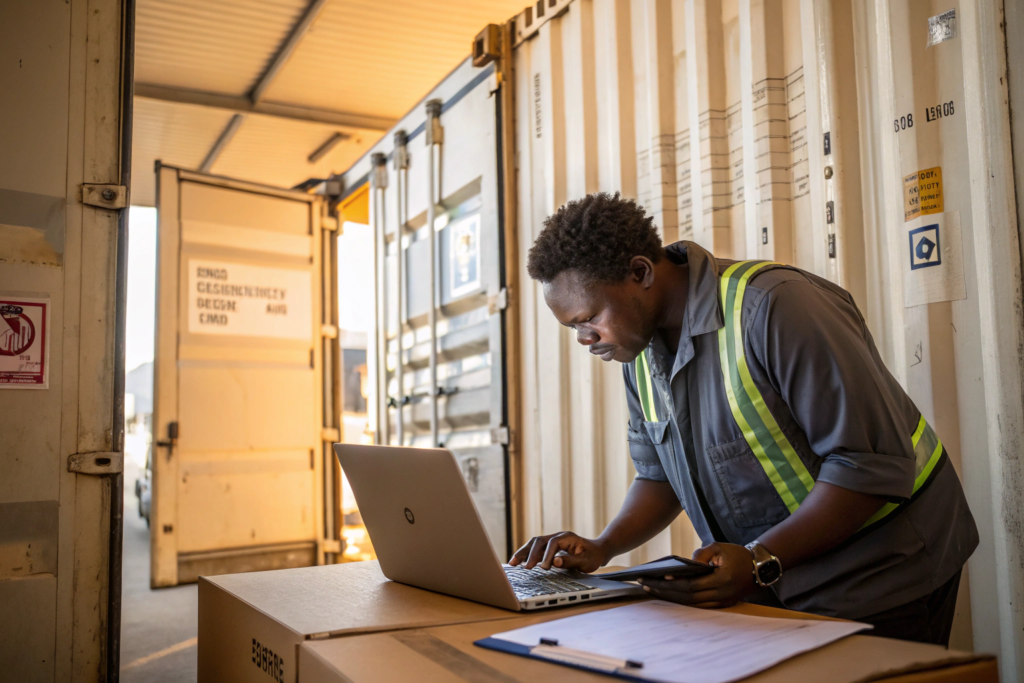
You calculate the check digit using the ISO 6346 method. Each letter and digit gets a value. You multiply each value by a weight. The weights go from 2 to 9, then repeat. You add the results. You divide by 11. The remainder is the check digit. If the remainder is 10, the check digit is 0. The BIC check digit calculator does this automatically. The SeaRates container tracking page also helps you validate and track. I use these tools when we check our own containers. A wrong check digit is the most common error. So check it first. Then track.
I also tell buyers to use the calculator every time. It takes ten seconds. It can save an hour. A wrong check digit will almost always fail. So do not guess. Calculate. Then track.
Why Does a Valid Container Number Still Show No Results?
A valid container number can show no results for several reasons. The container may not be loaded yet. The carrier may not have updated the system. The container may be on a different vessel. The number may belong to a lease company that uses a different tracking system. The Maersk tracking page and MSC tracking page both explain that data can take time to appear. I use these when we help buyers track their coffee. A valid number is not a guarantee of instant data. It is a guarantee of a valid ID. So wait for the update. Then track again. Do not panic. Check the booking number too. Sometimes the booking number gives you better data than the container number.
For Ron, this means he should keep both numbers. The container number and the booking number. If one fails, the other may work. That simple backup saves time. So keep both. Then track.
Which Tracking Tools Give the Fastest Updates?
Not all tracking tools are equal. A carrier site may show vessel data. A terminal site may show gate-in and gate-out. A port site may show berth and discharge. A forwarder may show the full route. An aggregator may show all of them in one place. So you need the right tool for the right question. If you want to know if the container loaded, use the carrier. If you want to know if it left the terminal, use the terminal. If you want to know if it cleared customs, use the broker. So match the tool to the question.
The fastest tracking tools are usually carrier websites, terminal operator portals, port community systems, freight forwarder dashboards, and aggregator platforms. Carrier sites give vessel and route data. Terminal sites give gate and yard data. Port sites give berth and discharge data. Forwarder dashboards give document and customs data. Aggregators combine several sources. For coffee shipments, the carrier site is often the first stop. The terminal site is the second. The forwarder is the third. Use all three. Then compare.
So, what should you do? Bookmark the carrier tracking page. Bookmark the terminal page. Bookmark the port page. Then check them in order. That routine gives you the fastest answer. It also gives you a backup if one site fails.

When Should You Use Carrier Tracking vs Terminal Tracking?
You should use carrier tracking when you want vessel schedule, route, and transshipment data. You should use terminal tracking when you want gate-in, gate-out, and yard position. The Hapag-Lloyd tracking page and CMA CGM tracking page are good examples of carrier tools. I use these when we track our coffee from Yunnan to Shenzhen. A carrier site can tell you if the container is on the vessel. A terminal site can tell you if the container is still in the yard. Both matter. So use both. Then compare the times. If the terminal says gate-out but the carrier says not loaded, there is a gap. That gap is a warning. So check both. Then act.
I also tell buyers to check the terminal free time. If the container sits too long, demurrage starts. Demurrage is expensive. So track the terminal. Then clear the container fast. That is how you save money.
How Do You Track Coffee from Yunnan to Shenzhen to the U.S.?
You track coffee from Yunnan to Shenzhen to the U.S. in four stages. First, track the inland truck from Baoshan to Shenzhen. Second, track the container at the Shenzhen terminal. Third, track the vessel from Shenzhen to the U.S. port. Fourth, track the customs release and inland delivery. The Port of Shenzhen shares port information. The project44 platform shares real-time visibility tools. I use these when we plan our coffee shipments. At BeanofCoffee, we share each stage with the buyer. That way, Ron knows where his coffee is. He does not have to ask. That is how we build trust.
For coffee, the Shenzhen stage is critical. The container must gate in before the vessel cutoff. If it misses the cutoff, it rolls to the next vessel. That adds a week or more. So track the gate-in. Then track the loading. Then track the sailing. That sequence keeps you ahead.
How Do You Avoid Common Tracking Mistakes?
Most tracking mistakes are simple. A wrong digit. A wrong number type. A wrong website. A wrong assumption. I have seen buyers type the seal number into the container field. I have seen them use the booking number as a container number. I have seen them check the wrong carrier. These mistakes waste time. They also cause stress. So learn the common ones. Then avoid them.
Common tracking mistakes include confusing the container number with the booking number, bill of lading number, or seal number; mistyping 0 and O, 1 and I, 6 and 8, B and 8; using the wrong carrier website; ignoring transshipment; and assuming no data means no movement. To avoid these mistakes, keep a clear list of all numbers, label them correctly, check the check digit, use the right carrier, and track transshipment separately.
So, what should you do? Make a simple number sheet. List the container number, the seal number, the booking number, and the bill of lading number. Label each one. Then use the right one. That sheet prevents confusion. It also helps your team. So make it. Then share it.

How Do You Handle Transshipment and Rolled Cargo?
You handle transshipment and rolled cargo by tracking the first vessel, the transshipment port, and the second vessel separately. A rolled container misses its planned vessel. It waits for the next one. The Drewry shipping research tracks schedule reliability and port performance. The Freightos index shows freight and route conditions. I use these when we plan a route. A transshipment adds a handoff. A handoff adds risk. So track each leg. Then add buffer time. If the container rolls, tell the buyer early. Early news is better than late news. So communicate. Then adjust.
I also tell buyers to ask the forwarder for the transshipment plan. A good forwarder will know the connection time. A weak forwarder will not. So ask. Then check. That is how you avoid a surprise.
What Should You Do When Tracking Data Conflicts?
When tracking data conflicts, you should check the source, the time, and the scope. A carrier site may update slower than a terminal site. A terminal site may update slower than a port site. A forwarder may have better data than all three. The CBP page explains U.S. customs entry. The FDA prior notice page explains food import rules. I use these when we prepare our export files. If two sources conflict, ask the forwarder. If the forwarder cannot explain, ask the carrier. If the carrier cannot explain, ask the terminal. Keep asking until you get a clear answer. Then write it down. That record helps next time.
For Ron, this means he should not panic when data conflicts. He should check the source. He should check the time. He should ask a human. Then he should decide. That is how he stays calm. That is how he keeps his customers informed.
Conclusion
Decoding a container tracking number is not hard when you know the structure. It is four letters and seven digits. The first three letters are the owner code. The fourth letter is the category. The next six digits are the serial. The last digit is the check digit. Verify the format. Check the check digit. Use the right tracking tool. Keep all your numbers labeled. Track each leg. Handle transshipment with care. When data conflicts, ask a human. If you do these things, you can track your coffee efficiently. You can avoid delays. You can keep your buyers informed. And you can sleep better at night.
At BeanofCoffee, we make tracking simple. We own more than 10,000 acres in Baoshan City, Yunnan. We export Catimor, Arabica, and Robusta. We work with large buyers, brand owners, distributors, and trading companies. We share container numbers, seal numbers, and shipping updates. If you want a supplier who keeps you informed, please contact Cathy Cai at cathy@beanofcoffee.com. She will help you with samples, pricing, specifications, and shipping plans. You can also visit BeanofCoffee to learn more. Let us track your next coffee shipment together.